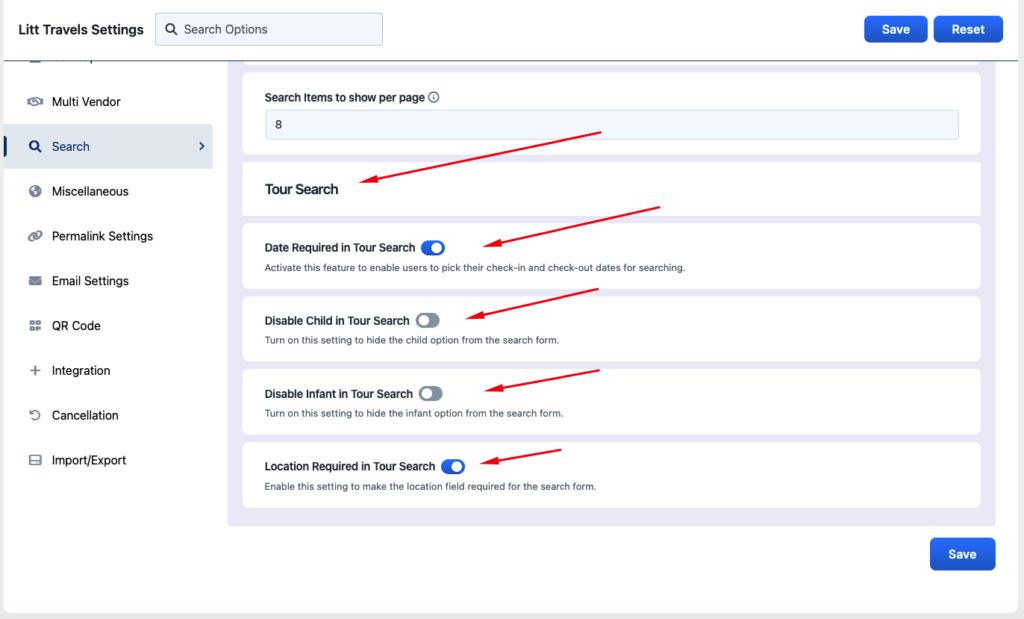
Litt Travels Settings > Settings > Search
This section allows you to determine how the search function works, which filters customers can use while searching, and which parameters are required for it.
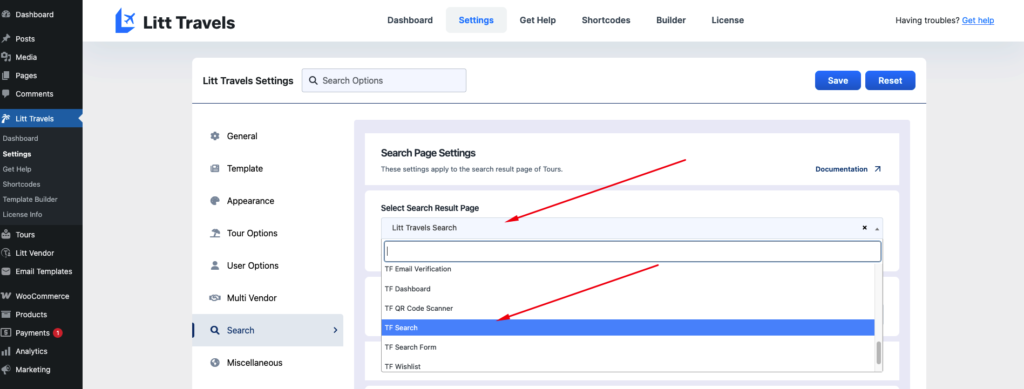
Select Search Result Page #
You can select the page for the search result that users will see when using the search function by selecting the page TF Search ( default page for search result page )
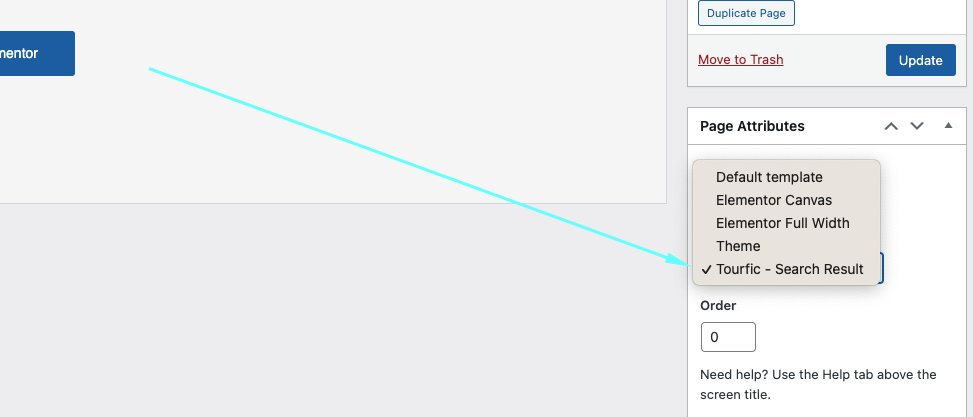
Note: To create a custom search page you will have to select the page template: Litt Travels - Search Results
Search Items to Show Per Page #
This section allows you to determine how many tours a user will see on one page.
Tour Search #
Much like the hotel search section, the tour search section allows you to modify similar settings for tour searches.
Date Required in Tour Search #
Enabling the date required in tour search makes it mandatory to pick check-in and out dates.
Disable Child in Tour Search #
Disable child in tour search omits the child option from the search form.
Disable Infant in Tour Search #
Disabling infant in tour search is an extra option available to tours, as it can be a crucial factor for tour listings. This hides the infant option from the search.
Location Required in Tour Search #
Location required in tour search makes location attributes mandatory.
Hide Location in Tour Search #
Hide location in tour search removes the location attribute.