
The first step to get started with Litt Travels is installing the plugin on your WordPress website. Since Litt Travels is a premium ThemeForest plugin, all required files are provided with your purchase.
How to Install Litt Travels #
Steps: #
- Download the Plugin
- Log in to your ThemeForest account
- Go to Downloads
- Download the Installable WordPress file only
- Extract the downloaded ZIP file if needed
- Locate the plugin file:
litt-travels.zip
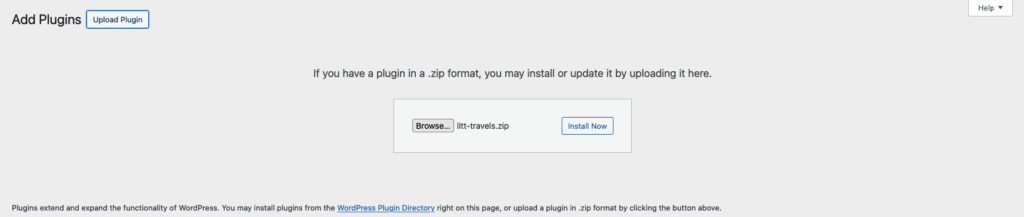
- Upload the Plugin
- Log in to your WordPress Dashboard
- Navigate to Plugins → Add New
- Click Upload Plugin
- Choose the file
litt-travels.zip - Click Install Now
- Activate the Plugin
- After installation, click Activate
- The plugin will now be active on your website
License Activation #
After activating the plugin, you need to activate your license to unlock all features and receive updates.
Steps: #
- Go to Litt Travels → License
- Enter your purchase code from ThemeForest
- Click Activate License
📄 Please refer to the License Activation Documentation for detailed steps.
Watch Complete Video #
Watch the video below to see the full installation and license activation process for Litt Travels:
Still Not Clear? Please contact us. If you are a free User, you can open a ticket from here. If you are a pro user, you can open a ticket from here.


